Webhooks Overview
Webhooks are a way for your app to receive live notifications of activity on your user’s accounts.
Currently we support 5 different event types:
- Message Received
- New Follower
- New Subscriber
- Purchase Received
- Tip Received
Here’s how to use them:
- Setup an endpoint on your backend to receive webhooks, this should be able to receive POST requests from our API
- Navigate to the Fanvue Developer Area, select your app and go to the Webhooks tab
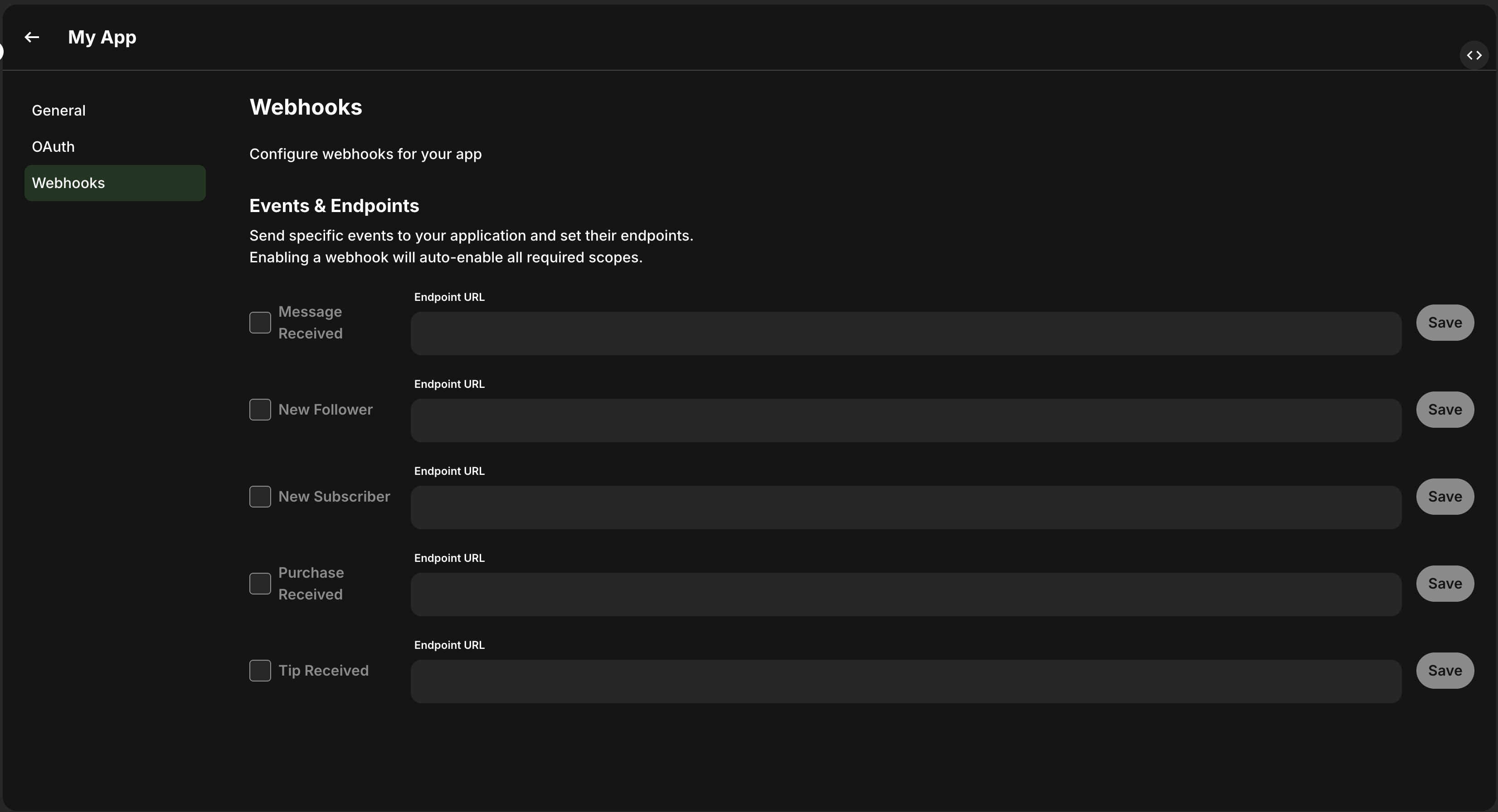
- Enter the desired URL

- Press Save and then enable the webhook by checking the box next to it
How deliveries work
- Each webhook is delivered as an HTTP POST with
Content-Type: application/json. - The request body contains an event-specific JSON payload.
- Your endpoint should return a 2xx response as soon as you successfully receive and persist the event.
Verifying webhook signatures
Every webhook request includes an X-Fanvue-Signature header. You should verify this signature on every request to ensure it came from Fanvue and was not tampered with.
Signature format
The header value has the format:
tis a Unix timestamp (seconds since epoch) indicating when the request was signed.v0is the HMAC-SHA256 signature encoded as a hexadecimal string.
Finding your signing secret
Your webhook signing secret is available in the Fanvue Developer Area:
- Navigate to your app’s Webhooks tab
- Click “View Signing Secret”
Keep this secret secure and never expose it in client-side code.
Verification steps
- Extract the timestamp (
t) and signature (v0) from the header - Construct the signed payload by concatenating the timestamp, a period, and the raw request body:
{timestamp}.{body} - Compute the expected signature using HMAC-SHA256 with your signing secret
- Compare the expected signature with the received signature using a timing-safe comparison
- Optionally, check that the timestamp is within an acceptable window (e.g., 5 minutes) to prevent replay attacks
Verification example (Node.js)
Testing locally
- Expose your local server with a tunneling tool (for example,
ngrok) and copy the public HTTPS URL. - Set that URL in the Webhooks UI for the event type you want to receive.
- Trigger the event in a test environment and inspect the request reaching your server.
Troubleshooting: test events work, but production events do not
If webhook test deliveries succeed but real user activity does not trigger events, use this checklist.
1) Confirm required OAuth scopes are enabled for each event
2) Confirm the webhook event checkbox is enabled
In your app’s Webhooks tab, verify the event type is selected for the webhook endpoint you configured.
3) Re-authorize the app after scope changes
If scopes were added after users already connected your app, previously granted consent may not include those scopes yet.
- Open
https://fanvue.com/settings/account/third-party-apps - Revoke access for your app
- Reconnect the app and approve the requested scopes again
4) Validate with a real production action
Use an actual follow, purchase, subscription, tip, or message event from a separate account and verify delivery on your endpoint logs.